
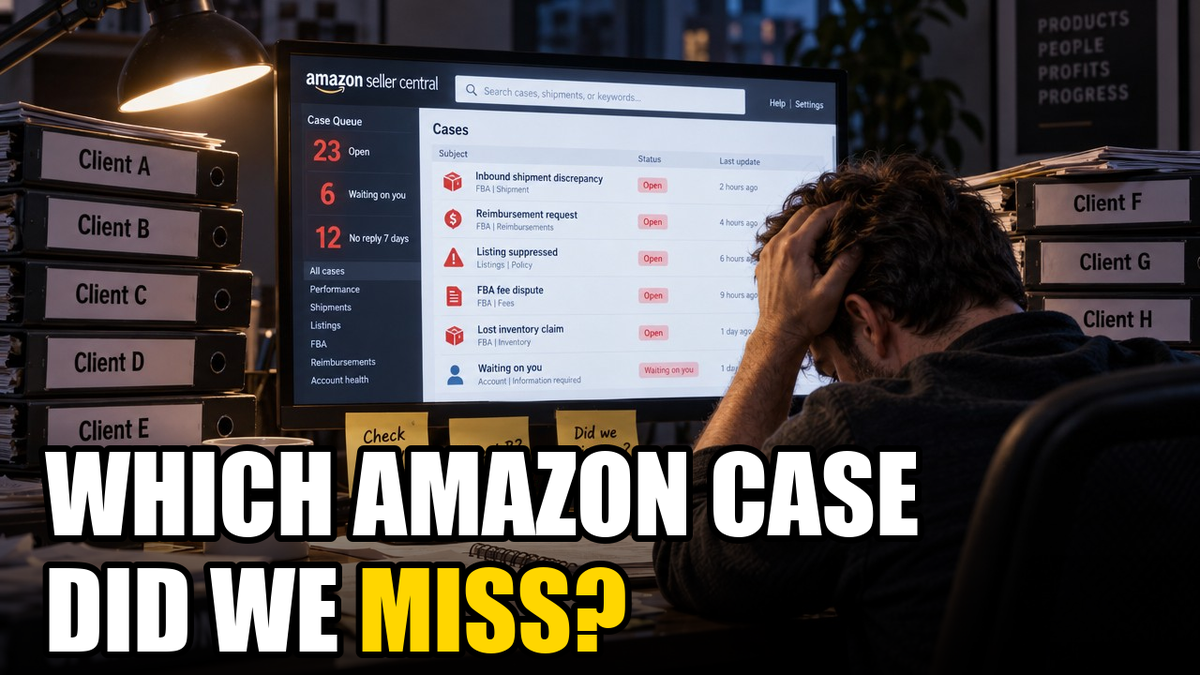
Three Amazon agencies, 89 client accounts, 1,714 support cases.
Twenty-three of those cases were still open. Six were waiting on the agency. Twelve had gone more than a week without a reply. The oldest had been open for 109 days.
Finding those 23 used to eat a Monday morning. Now it takes one question.
The Monday tab marathon
If you run an Amazon agency, you know the routine. Monday comes, and someone on the team starts the rounds: log into a client’s Seller Central, open the Case Log, scroll, check what changed, note what’s waiting on you. Then the next client. Then the next.
It’s slow, but the real problem is that it’s easy to miss things. A case asking for one more document sits in “waiting on you” for nine days. An inbound shipment discrepancy stalls because nobody followed up. A reimbursement claim quietly ages out. None of it is hard to fix. It just has to be noticed.
Across those 1,714 cases, barely more than 1% were open. The job is finding that 1% across every client account, every week, without missing one.
Why your AI couldn’t help until now
Most agencies already use AI to analyze sales, ads and inventory. So why not cases?
Because Amazon doesn’t offer software any way to read them. There is no support-case API, and no report you can download that contains your Case Log. Every tool that plugs into Amazon’s official data hits the same wall. Your cases have only ever lived in the Seller Central screen.
Cajari changes that. It collects the Case Log for each account you connect and keeps it updated automatically, then makes it available to your AI assistant (Claude, Cursor, Windsurf and others) through the Cajari MCP connector, as well as through the REST API, webhooks and JSON/CSV exports.
The one-question check
With Case Log connected, the Monday check becomes a question you type into your AI assistant:
“Across all my client accounts, which cases are open, and which have had no reply from us in the last 7 days?”
And the answer comes back in seconds, something like this:
23 open cases across your client accounts. 12 have had no reply in 7+ days.
Waiting on you (6):
Client A: listing issue, opened 12 days ago, Amazon asked for documentation 9 days ago
Client C: account health, opened 33 days ago
…Waiting on Amazon (17):
Client B: inbound shipment discrepancy, opened 41 days ago, last reply 10 days ago
…Suggested priority: the 6 cases waiting on you, then the oldest stalled cases waiting on Amazon.
(Example output with client names removed. The totals match the combined Case Logs of three agencies in October 2026.)
The inventory of “what needs us today” is done before the first coffee is finished.
What else you can ask
Once your AI can see the Case Log, the Monday check is just the start:
- By client: “Summarize every open case for Client B.”
- By product: “Are there any cases touching this ASIN?” Case Log is filterable by ASIN, so you can tie a support issue straight to the listing it affects.
- By topic: “How many inbound shipment cases did we open this quarter, and how many are still unresolved?”
- By age: “Which open cases are older than 30 days?” Across the three agencies above, 10 of the 23 open cases already were.
- By effort: “Which cases have needed the most back-and-forth?”
Attachments come along too: Cajari stores the files attached to each case, so your AI can reference what was actually sent.
Honest limits
- Case Log is in beta. It works well today for reading and filtering cases, and we’re still expanding it.
- Your AI can read cases, not reply to them (yet). Replies still happen in Seller Central. Posting updates to a case is on the roadmap, not available today.
- You still decide. The AI tells you what needs attention. Your team still owns the response.
Run your first Monday check
- Connect your client accounts to Cajari and enable the Case Log skill. (Each account needs the “Manage Your Cases” permission in Seller Central.)
- Connect the Cajari MCP to your AI assistant.
- Ask: “Which open cases across my accounts are waiting on us, and which have stalled for a week?”
Sign up for your free 30-day trial and get your Monday morning back.